 A4 Front Page Studio
A4 Paper Size in mm, cm, Inches and Pixels
A4 is the paper size behind almost every school project, assignment and printed form in India, Bangladesh, Nepal, the UK, Europe and most of the world. People usually remember it as “the normal size”, but the moment you design a front page, resize an image or set up a printer, you need the exact numbers. This guide gives the size of A4 in millimetres, centimetres, inches and pixels, explains why the dimensions look so odd, compares A4 with other common sizes, and shows how to choose a pixel size that prints sharply. Keep it open when you prepare a cover page, a photo sheet or any file for the print shop.
The exact size of A4
| Unit | Width | Height |
|---|---|---|
| Millimetres | 210 mm | 297 mm |
| Centimetres | 21 cm | 29.7 cm |
| Inches | 8.27 in | 11.69 in |
| Points (1/72 inch) | 595 pt | 842 pt |
The millimetre figures are the official definition. Every other number is a conversion, rounded to a sensible number of digits. If you are ever unsure, trust 210 by 297 millimetres.
A4 in pixels at different resolutions
A pixel size only means something when you know the resolution, measured in dots per inch (DPI). The same paper needs more pixels at a higher DPI.
| DPI | Width × height in pixels | Typical use |
|---|---|---|
| 72 | 595 × 842 | Old screen standard, small previews |
| 96 | 794 × 1123 | Default size in web browsers |
| 150 | 1240 × 1754 | Good for drafts and screen sharing; acceptable for casual printing |
| 200 | 1654 × 2339 | Fine for text-heavy pages |
| 300 | 2480 × 3508 | Standard for sharp printing |
| 600 | 4961 × 7016 | Very fine detail, large files |
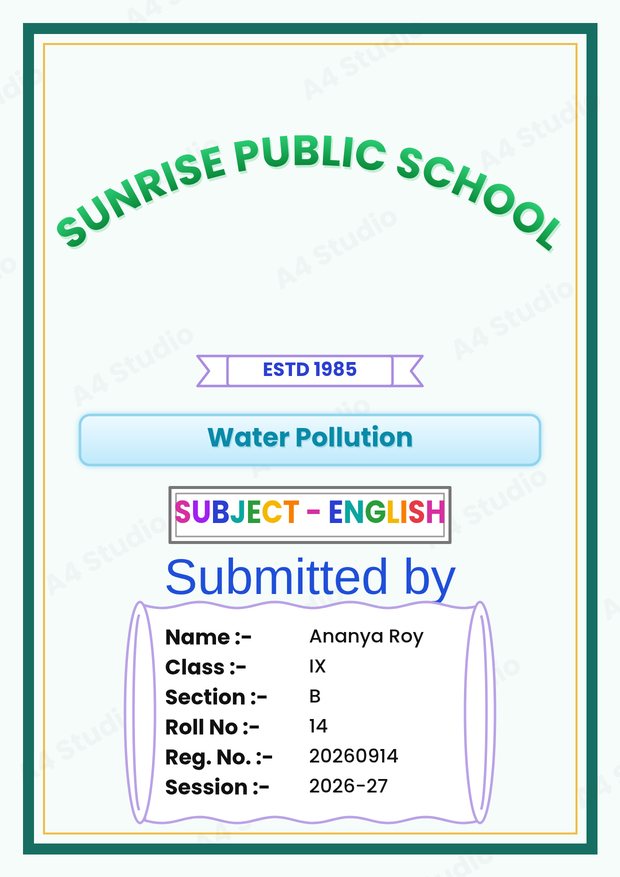
For a school cover with text and a border, 300 DPI is the safe choice for a printed copy. In A4 Front Page Studio, the standard PNG comes out at 1240 × 1754 pixels (150 DPI), the Hi-res PNG option is labelled 300 DPI, and the PDF is generated from a larger rendering of the page. That way you can pick a small file for sharing or a bigger one for the print shop.
Why is the size so strange?
The numbers look random because A4 comes from a smart system, the ISO 216 “A series”. It starts with A0, a sheet of one square metre, whose sides are in the ratio of 1 to about 1.414 (the square root of two). Cut an A0 sheet in half across its long side, and you get two A1 sheets with exactly the same ratio. Cut again for A2, then A3, and A4 is the fourth cut. Because the ratio never changes, you can enlarge or reduce a document from one A size to another without cropping or leaving odd gaps. That is also why a photocopier can reduce an A3 poster to A4 cleanly.
The neighbouring sizes
| Size | Millimetres | Common use |
|---|---|---|
| A3 | 297 × 420 | Posters, charts, drawings |
| A4 | 210 × 297 | Documents, project files, covers |
| A5 | 148 × 210 | Notebooks, small booklets |
| A6 | 105 × 148 | Postcards, notepads |
Each size is exactly half the area of the one before it. Two A5 pages side by side make one A4 sheet, which is why A5 booklets are printed on A4 and folded.
A4 compared with US Letter
US Letter is 215.9 × 279.4 millimetres (8.5 × 11 inches). Compared with A4, it is about 6 millimetres wider and about 18 millimetres shorter. That small difference causes real problems: a page designed for A4 and printed on Letter may lose a strip at the bottom or shrink, and a page designed for Letter on A4 paper leaves a gap at the top and bottom. If your printer is set to Letter by mistake, correct the paper size in the print dialog before printing. See how to print an A4 front page correctly for the full list of settings.
Printable area and margins
Most home and shop printers cannot print to the very edge of the paper. The unprinted border is often a few millimetres wide. If your design has a border or text close to the edge, it may be clipped. To be safe, keep important content at least 5 to 6 millimetres inside the paper edge, and for a school cover keep 10 to 15 millimetres. In our editor there is a Print margin guide you can switch on, which shades the edge zone in red, and you can choose 4, 5, 6, 8 or 10 millimetres. There is also an Auto-shrink to fit the margin option that reduces the page slightly so nothing is cut off.
How to pick the right pixel size
- Printing at home or in a shop: choose 300 DPI, which is 2480 × 3508 pixels.
- Sharing on a phone or by chat: 150 DPI (1240 × 1754) is plenty, and the file is small.
- Showing on a screen: 96 DPI (794 × 1123) matches the size of an A4 page in a web browser.
- Photos on the page: make sure the original photo has at least the pixels it needs for the size at which it appears. A 6 cm wide photo at 300 DPI needs about 700 pixels across.
How to convert between units yourself
- Millimetres to inches: divide by 25.4.
- Inches to pixels: multiply by the DPI.
- Millimetres to pixels: multiply by DPI and divide by 25.4. For example, 210 mm at 300 DPI is 210 × 300 ÷ 25.4, which is about 2480 pixels.
Common size mistakes
- Designing at a random pixel size and stretching it to A4, which distorts the page
- Printing with the paper size set to Letter
- Using a 72 DPI image for a printed page and wondering why it looks soft
- Letting the printer scale the page to fit, which shrinks everything
- Placing text too close to the edge
If a print ever looks soft or pixelated, our guide on fixing a blurry front page print walks through the causes. If you need to turn an image into the right file type or size first, the Image Converter can resize and convert it in your browser, and the guide to saving as PDF or PNG explains which format suits each job.
Quick answers
Is A4 the same as 8.5 by 11 inches?
No. A4 is 8.27 by 11.69 inches; 8.5 by 11 is US Letter.
What size is a half sheet of A4?
Cutting A4 in half across the long side gives A5, which is 148 by 210 millimetres.
What is the best pixel size for a cover page?
2480 by 3508 pixels (300 DPI) for printing, and 1240 by 1754 (150 DPI) for sharing.
Remember 210 by 297 millimetres, remember that 300 DPI means 2480 by 3508 pixels, and keep your important content inside the margins. With those three facts you can set up any A4 job correctly.
Open the free A4 Front Page Studio →