 A4 Front Page Studio
Save a Front Page as PDF or PNG: Which One Should You Choose?
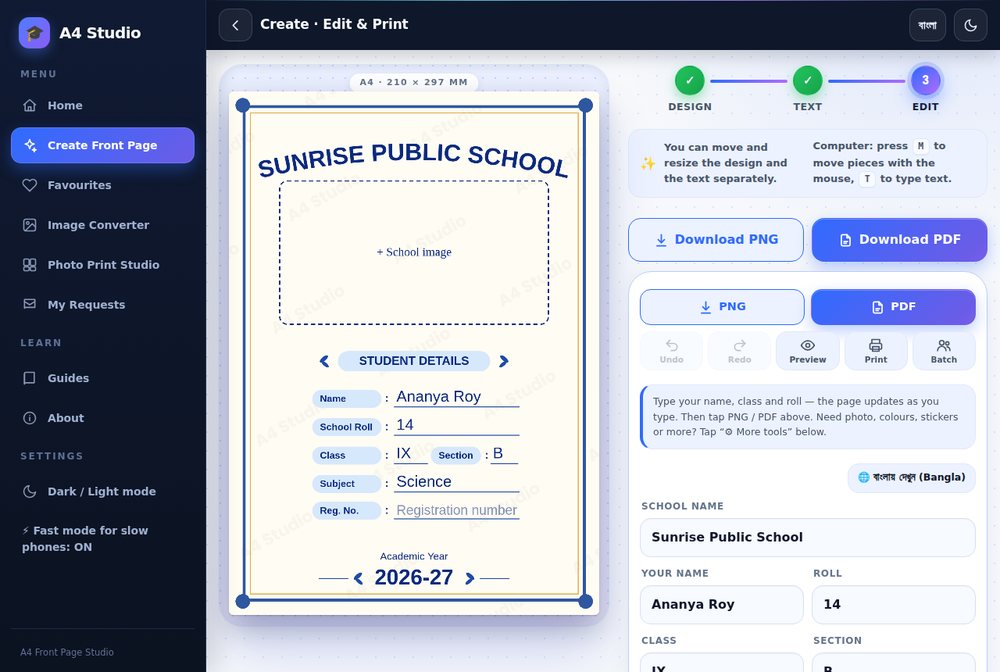
When your front page is finished, the tool asks you a small question that matters more than it looks: PDF or PNG? Both buttons sit side by side, and many students press whichever is closer. Usually that works, but the two formats behave differently when you print, share, edit or store the page. Choosing the right one can save you a trip back to the print shop or a blurry copy on thick paper. This guide explains what each format is, what A4 Front Page Studio actually puts inside each file, when to pick which, and how to avoid the problems people most often meet.
What a PNG is
PNG is an image format. It stores the page as a grid of coloured pixels and compresses the file without losing any detail, so edges and text stay crisp. A PNG opens in any gallery app, can be sent through any chat app, and can be placed inside a Word or Google Docs file. The standard PNG from the tool is 1240 × 1754 pixels, which is A4 at 150 DPI. There is also a Hi-res PNG option marked 300 DPI, which is 2480 × 3508 pixels and gives a sharper print. Hi-res files are bigger, so they take longer to send on a slow connection.
What a PDF is
A PDF is a page-shaped document. It always opens at A4 size, with the page proportions fixed, and print dialogs treat it as a real sheet of paper. In our tool the PDF is a single A4 page made from a larger rendering of your cover (twice the standard size, close to 300 DPI). That means the page looks sharp when printed, but the text inside it is part of the picture, so you cannot select or search it, and you cannot edit it later in a PDF editor in the usual way. For a cover page this is rarely a problem, because you edit in the tool and export again.
Side by side
| PNG | ||
|---|---|---|
| Best for | Sharing, chat, inserting into documents | Printing at home or at a shop |
| Page size | Pixels only; the printer decides the size | A4, fixed |
| Risk of scaling when printing | Higher, since image viewers often fit to page | Lower, if scale is 100% |
| File size | Standard small, Hi-res larger | Medium |
| Opens on | Every phone and computer | Every phone and computer with a PDF viewer |
| Text selectable | No | No (in this tool) |
Which should you choose?
- Taking it to a print shop: PDF. It keeps the A4 size, and shop software handles PDF well. A Hi-res PNG is also fine if the shop asks for an image.
- Printing at home from a phone: PDF, then print from your PDF viewer at 100% scale.
- Sending to a friend or teacher on a chat app: PNG for a quick look, PDF if they will print it.
- Putting the cover into a Word or Google Docs file: PNG, because documents accept images easily.
- Keeping a backup: save both. They are small.
Giving a file to a print shop
- Export the PDF and open it once yourself to check spelling and margins.
- Send it by a messaging app as a document, not as a photo, because many chat apps shrink photos. If you send a PNG, choose the option for sending as a file.
- Tell the shop: A4, one side, 100 per cent, no scaling.
- Ask for one test copy before the full print run.
Read how to print an A4 front page correctly for the matching print settings.
Common problems
The chat app made it blurry
Messengers often recompress photos. Send the file as a document or upload it to a drive instead. If it is already blurry, see fixing a blurry print.
The file is too large to send
Use the standard PNG rather than the Hi-res one, or convert it to JPG with the Image Converter, which can also shrink it to a size limit. Our guide on converting images explains the trade-offs.
Margins look different on paper
The printer may have scaled the page. Choose Actual size, or turn on the tool’s Print margin guide and Auto-shrink option before exporting.
The edges are clipped
Almost no printer prints to the very edge. Keep important content inside the safe area; see the A4 size guide for margin advice.
Name your files
Downloads arrive with generic names such as front-page.pdf. Rename them straight away to something clear, such as roll14-science-cover.pdf. When you have several subject files, clear names stop you printing the wrong cover.
Quick answers
Is a PDF higher quality than a PNG?
Not automatically. In this tool the PDF is made from a 300 DPI-class rendering, and the Hi-res PNG is 300 DPI, so both print well. The standard PNG is lower resolution.
Can I edit the cover after saving?
Edit it in the tool and export again. Saved files are pictures of the page, not editable text.
Do I need internet to open the file?
No. Once saved, both formats open offline.
Use PDF for printing, PNG for sharing and Hi-res PNG when a shop asks for an image. Check the file once before you hand it over, and you will rarely need to print twice.
Open the free A4 Front Page Studio →