 A4 Front Page Studio
Passport Photo Size in mm, cm, Inches and Pixels
Forms and print shops name photo sizes in different units: millimetres, centimetres, inches or pixels. This page puts the common sizes side by side so you can match a form or set up a print. The pixel sizes are worked out at 300 DPI, which is a good standard for printing. Some offices and portals ask for their own size, so always follow the instructions on your form and use the table as a quick reference.
Common photo sizes
| Name | mm | cm | Inches | Pixels at 300 DPI |
|---|---|---|---|---|
| Passport | 35 x 45 | 3.5 x 4.5 | 1.38 x 1.77 | 413 x 531 |
| Stamp | 20 x 25 | 2 x 2.5 | 0.79 x 0.98 | 236 x 295 |
| ID | 25 x 35 | 2.5 x 3.5 | 0.98 x 1.38 | 295 x 413 |
| Visa (square, 2 x 2 in) | 50.8 x 50.8 | 5.08 x 5.08 | 2 x 2 | 600 x 600 |
| 3R | 76.2 x 127 | 7.62 x 12.7 | 3 x 5 | 900 x 1500 |
| 4R | 101.6 x 152.4 | 10.16 x 15.24 | 4 x 6 | 1200 x 1800 |
How to convert any size
Use these three rules: 25.4 millimetres make 1 inch, 10 millimetres make 1 centimetre, and pixels = inches x DPI. For a 35 x 45 mm photo at 300 DPI, that is 35 / 25.4 x 300 = about 413 pixels wide and 45 / 25.4 x 300 = about 531 pixels tall. If a form asks for a different DPI, change the 300 in the formula.
Which size is which?
Passport size is the one most people mean when they say passport photo. Stamp size is smaller and is often used on school and college forms. ID size suits ID cards and admit cards. The square 2 x 2 inch size is the US-style visa and passport format. If a form shows its own size in cm or mm, use that one instead.
Printing several on one sheet
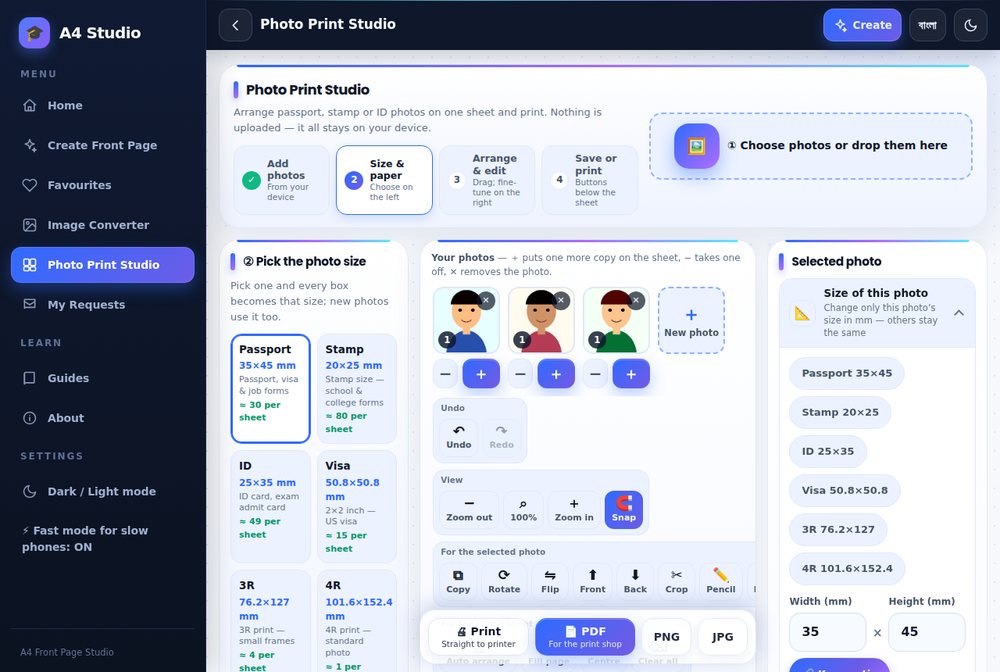
You do not have to print one photo per page. The Photo Print Studio arranges many copies on a single A4 sheet and lets you type your own width and height in millimetres, which helps when a form asks for an unusual size. Our guide on printing passport photos at home walks through the full process.
Tips
- Keep the head centred and the background plain if your form requires it.
- Print at 300 DPI or higher for a sharp result.
- For an upload with a KB limit, see how to resize a photo to 50 KB.
Common questions
What is passport size photo in cm?
The common passport size is 3.5 x 4.5 cm, which is 35 x 45 mm. Always check your own form in case it asks for something different.
What is 2 x 2 inch in mm?
2 x 2 inch is 50.8 x 50.8 mm, or about 5.08 x 5.08 cm.
How many pixels is a passport photo?
At 300 DPI, a 35 x 45 mm photo is about 413 x 531 pixels.
Is stamp size the same as passport size?
No. Stamp size is smaller, 20 x 25 mm in our presets, while passport size is 35 x 45 mm.
Open the free Photo Print Studio →
Converting between mm, inches and pixels
Passport size photos are described in different units, so a little arithmetic helps. One inch is 25.4 mm, so you convert millimetres to inches by dividing by 25.4. A 35 by 45 mm photo is therefore about 1.38 by 1.77 inches, and a 2 by 2 inch photo is 51 by 51 mm.
To get pixels, multiply inches by the DPI. At 300 DPI, 35 by 45 mm becomes roughly 413 by 531 pixels, and 2 by 2 inches becomes 600 by 600 pixels. Many online forms ask for pixels and a file size together, so check both numbers. Use these figures only as a guide, because every application sets its own rules.
The size you print on a sheet is separate from the size you upload online. For printing, keep the physical size exact, for example by measuring the printed photo with a ruler. For uploading, match the pixel width, height and KB limit that the portal states.
Always follow the specification of the specific application, such as the head position, background colour and recency of the photo, since these rules vary between countries, exams and organisations.